Master Photoshop & Illustrator for Career Success
Design, Photoshop, Illustrator, Creative Careers
Photoshop vs Illustrator: The Creative Skills That Future‑Proof Your Career
Imagine opening a job listing and realizing you already know the exact tools they’re asking for. In studios, agencies, startups, and even solo businesses, two names appear again and again: Adobe Photoshop and Adobe Illustrator. These aren’t just “nice‑to‑have” design apps—they’re the visual language employers trust to bring brands, products, and ideas to life.
To turn that recognition into real opportunity, you need more than curiosity—you need clarity on what each tool can do for you. Whether you dream of designing logos, editing photos, creating social media content, or building full brand identities, mastering these tools can turn your creativity into a secure, future‑ready career path. The key is understanding what each program does best—and how to use them together like a pro. That’s exactly what you’ll discover in this guide.
Photoshop vs Illustrator: Core Differences at a Glance
Before you decide which one to open for your next project, it helps to zoom out and see how they differ at a fundamental level. At first glance, Photoshop and Illustrator may look similar—they both create visuals, use layers, and belong to Adobe’s creative suite. But they are built for very different purposes, and understanding this is the first step to using them confidently and professionally.
“Photoshop and Illustrator remain the core visual tools requested in digital design roles worldwide, especially for branding and content creation.”
— 2023 Adobe Creative Careers Report
Photoshop: Pixel‑Perfect Editing, Art, and Visual Effects
With that big‑picture difference in mind, let’s look more closely at what each tool actually excels at in real projects. Adobe Photoshop is a raster‑based program. That means it works with pixels—tiny squares of color that make up a photo or digital painting. Photoshop shines when you need to:
Edit and retouch photographs for social media, advertising, or print
Create digital artwork, composites, and visual effects
Design web banners, thumbnails, posters, and social media graphics
In practice, this means that if a project involves real photos, textures, or detailed image manipulation, Photoshop is usually the first choice for professionals across industries, from marketing agencies to fashion brands and media houses.
📌 Real‑world example: From hobby photographer to paid retoucher
Instead of staying theoretical, consider how this plays out for a beginner. An aspiring photographer started by editing friends’ portraits in Photoshop—fixing lighting, removing distractions, and experimenting with color grading. Within six months, those before‑and‑after edits became a small portfolio that helped her land part‑time work with a local wedding studio. Today, she charges for freelance retouching worldwide, all built on the Photoshop skills she first practiced on personal projects.
Illustrator: Logo, Icon, and Vector Graphics Powerhouse
While Photoshop gives you control over photos and pixel‑based art, Illustrator takes over when you need clean, scalable graphics. Adobe Illustrator is a vector‑based program. Instead of pixels, it uses mathematical paths to create shapes. This means your artwork can be scaled from a tiny icon to a huge billboard without losing quality. Illustrator is ideal for:
Logos, icons, and brand marks that must stay sharp at any size
Infographics, diagrams, and clean, flat illustrations
Packaging designs, print layouts, and vector‑based artworks
Because of this scalability and precision, when a company needs a logo that will appear on websites, business cards, merchandise, and billboards, they expect it to be created in Illustrator.
📌 Case study: A student logo that turned into a full brand
Just like Photoshop can open doors, Illustrator can turn a single idea into a full brand story. A design student created a simple logo in Illustrator for a college festival—clean shapes, scalable typography, and a flexible color system. The event committee loved it so much they asked for banners, T‑shirts, and social media posts. That one Illustrator project became a full mini brand system, and the student later used it in job interviews to demonstrate real, end‑to‑end branding experience.
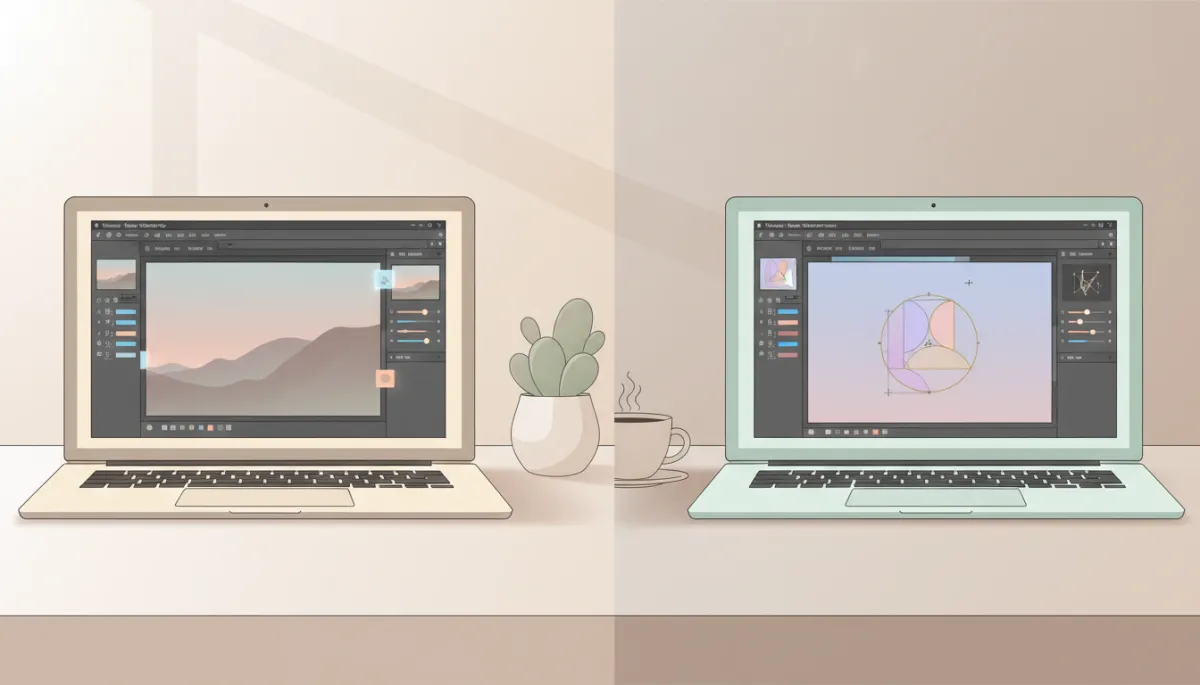
Mastering both tools lets you handle everything from photo edits to full brand identities.
How Photoshop and Illustrator Boost Your Career Security
Once you understand what each tool is best at, the next question is: how does this actually help your career? In a competitive job market, employers look for practical skills that translate directly into results. Photoshop and Illustrator are considered industry standards in design, marketing, advertising, e‑commerce, and even content creation roles. Learning them does more than improve your creativity—it makes you more employable and resilient in a changing world of work.
“Over 80% of creative job postings mention Adobe tools, with Photoshop and Illustrator leading the list for visual design roles.”
— LinkedIn Economic Graph, Creative Jobs Snapshot 2023
1. One Skillset, Opportunities in Many Industries
Instead of locking you into a single job title, these tools open doors across multiple paths. Whether you want to be a graphic designer, social media manager, UI designer, content creator, or even a freelance entrepreneur, these tools support your path. Companies of all sizes need:
Social media posts, campaign visuals, and ad creatives (Photoshop)
Logos, pitch decks, and polished brand assets (Illustrator)
When you can confidently deliver both, you become a versatile asset who can support marketing, product, and branding teams—making your role harder to replace and easier to grow.
📌 Real‑world example: A social media executive who became “the design person”
This versatility shows up clearly in small teams and startups. A junior social media executive at a small startup began learning Photoshop and Illustrator in the evenings. Within a few months, she was not only writing captions but also designing post templates, ad creatives, and simple icons. Her manager no longer had to outsource basic design tasks, and she was promoted to a hybrid Social Media & Design Specialist role—with a salary increase to match her expanded skill set.
2. Build a Portfolio That Proves Your Value
Career security isn’t just about what you know—it’s about what you can show. Employers and clients rarely hire based on theory alone—they want to see what you can create. By learning both Photoshop and Illustrator, you can build a portfolio that includes:
Before‑and‑after photo edits and marketing visuals that show real impact
Logo concepts, icon sets, and brand systems that look polished and scalable
A strong portfolio not only helps you land your first job or freelance client—it also gives you leverage to negotiate better pay and more opportunities as your career grows.
“For junior designers, a focused portfolio showcasing 6–10 strong, software-based projects is more persuasive than any certificate.”
— AIGA (American Institute of Graphic Arts), Early Career Designer Survey 2022
📌 Case study: Turning passion projects into a first agency job
To see how this works in real life, look at how beginners approach their first body of work. One beginner designer spent three months creating fake brand projects—logos in Illustrator, mockups in Photoshop, and simple campaign visuals. None of the work came from real clients, but it clearly showed her software skills and design thinking. When she applied to a local agency, the creative director hired her as a junior designer, saying her portfolio “looked more practical” than many candidates with certificates but no real projects.
3. Stay Relevant in a Fast‑Changing Digital World
Beyond landing your first role, you also need skills that grow with you as technology and trends evolve. Every year, more businesses shift their focus online. Visual content has become the language of the internet, and those who can create it have a clear advantage. Knowing Photoshop and Illustrator means you can:
Adapt quickly to new platforms and trends by creating on‑brand visuals
Collaborate smoothly with designers, marketers, and developers using shared tools and formats
💡 Pro Tip: Don’t just “learn the software.” Pick small, real projects—like redesigning a friend’s logo or creating a social media campaign—and use Photoshop and Illustrator together. This mirrors how professionals work and makes your skills directly valuable to employers.
Using Both Tools Together for a Pro‑Level Workflow
By now, you’ve seen how each program supports different types of work and why employers value them. The real magic, however, appears when you stop thinking of Photoshop versus Illustrator and start thinking of Photoshop plus Illustrator. The real power comes when you combine both programs in a single workflow. For example, you might design a logo in Illustrator, then bring it into Photoshop to place it on product mockups, social media posts, or website banners. This mirrors exactly how agencies and in‑house design teams work.
When you show that you understand which tool to use, and why, hiring managers see more than software knowledge—they see problem‑solving ability, professionalism, and long‑term potential. Those are the qualities that help you not only get hired, but also build a stable, secure career in the creative industry.
📌 Real‑world workflow: From Illustrator logo to Photoshop campaign
Here’s how that combined approach looks in a real client project. A freelance designer working with a new café brand created a clean vector logo and icon set in Illustrator. She then imported those assets into Photoshop to design menu boards, Instagram stories, and outdoor posters. Because everything started as vectors, the artwork stayed sharp on tiny mobile screens and large storefront prints—impressing the client and leading to repeat work for seasonal campaigns.
Final Thoughts: Skills That Grow and Evolve With You
All of this leads to a bigger conclusion about your long‑term growth. Learning Photoshop and Illustrator is not just about mastering buttons and tools; it is about gaining a visual language that is valued in almost every modern industry. As technology changes, the demand for clear, engaging visuals only increases—and professionals who can create them are the ones who stay in demand.
If you are serious about securing your career, start building your skills in both Photoshop and Illustrator today. Step by step, project by project, you will create a portfolio—and a professional reputation—that can support you for years to come.
In summary:Photoshop helps you craft powerful, polished visuals, while Illustrator gives you sharp, scalable brand assets—and together they form a career‑ready skill set that works across industries. When you combine these tools with real projects, a focused learning plan, and consistent practice, you’re not just learning software—you’re building a creative career that can grow, adapt, and stay relevant for years.
📌 Your next move: Choose one small project you can start this week—a logo, a poster, or a social media series—and commit to designing it using both Photoshop and Illustrator. Then, explore a structured course or local training option that fits your goals so you can turn that momentum into a clear, job‑ready portfolio.
📌 Key Takeaway for Bangalore Learners: If you are based in Bangalore and want structured, hands‑on training in Photoshop and Illustrator, consider enrolling at ZICA Hegdenagar. Learning in a professional training environment can accelerate your progress, keep you accountable, and help you turn these creative skills into a reliable career path.
📌 Quick recap of your action plan:
Decide your focus for the next 30 days—photo editing, branding, or social content—and pick 2–3 projects that match it.
Use Illustrator for logos, icons, and brand elements, then bring those assets into Photoshop for mockups and campaign visuals.
Save your best work, write a short description of each project, and start assembling a simple, shareable portfolio.
If you take these three steps now, you won’t just understand the difference between Photoshop and Illustrator—you’ll be actively using them to build a career‑ready body of work.
📅 Ready to experience this in action? Click here to schedule a free demo class with ZICA Hegdenagar and see exactly how Photoshop and Illustrator are taught in a professional, career‑focused environment.
📌 Final Key Takeaways & Call to Action:
Know your tools: Use Photoshop for photos, effects, and rich visuals; rely on Illustrator for logos, icons, and scalable brand graphics.
Think like a pro: Combine both tools in one workflow—design in Illustrator, mock up and refine in Photoshop—to mirror how agencies and studios work.
Build proof, not just skills: Turn every practice session into a small project you can show in your portfolio.
Don’t just close this tab and “come back later.” Open Photoshop or Illustrator today, pick one concrete idea—a logo, a poster, a set of social posts—and finish it. Then, if you’re in Bangalore and ready for guided, career‑focused learning, book your demo class with ZICA Hegdenagar and take the next step from practicing alone to building a professional, hire‑ready portfolio.
FAQ: Learning Photoshop and Illustrator as a Beginner
Before you dive in, it’s natural to wonder how to start and what to expect along the way. If you are just getting started, it is normal to have questions about which tool to learn first, how long it takes, and what you really need to succeed. Here are clear answers to the most common questions beginners ask.
1. Photoshop or Illustrator First? Choose by Your Goals
The best starting point isn’t the same for everyone—it depends on what you want to create right now. It depends on your immediate goals. If you are more interested in photo editing, social media graphics, or digital art, start with Photoshop. If you are drawn to logos, icons, and branding, begin with Illustrator. In the long run, learning both will give you the strongest, most flexible skill set.
2. How Long Until I’m Job‑Ready with These Tools?
Timeframes will vary, but you don’t need years before you can start applying your skills. With focused practice, many learners reach a solid beginner‑to‑intermediate level in 2–3 months. The key is to combine tutorials with real projects—such as posters, logos, or social media posts—so you build a portfolio while you learn. Consistency matters more than speed.
Research from the Interaction Design Foundation suggests that learners who combine structured study with hands-on projects for at least 100 hours reach basic professional readiness significantly faster.
— Interaction Design Foundation, Learning UX and Visual Design 2022
3. Do I Need to Be Good at Drawing?
This is one of the most common worries beginners have, but it shouldn’t hold you back. No. While traditional drawing skills can help with illustration, many successful designers use shapes, typography, photos, and icons to create powerful visuals. What matters most is your willingness to experiment, learn design basics like layout and color, and keep practicing.
4. Can I Learn Photoshop and Illustrator on My Own?
Self‑learning is absolutely possible, especially with the number of resources available today. Yes, there are many online tutorials and resources. However, a structured course can save you time and confusion by giving you a clear path, feedback, and industry‑relevant projects. This is especially helpful if your goal is to build a career, not just learn casually.
💡 Pro Tip: Mix self‑learning with guided training. Use free resources to practice daily, and rely on a mentor or course to review your work and correct your approach early. You’ll find a list of recommended practice routines in our article on daily practice routines for Photoshop and Illustrator learners.
5. What Kind of Computer Setup Do I Need?
Before you invest in hardware, it’s helpful to know what actually matters. You do not need the most expensive machine, but you should have a computer that meets Adobe’s minimum system requirements and has enough RAM (8 GB or more is recommended) to run the software smoothly. A larger monitor and a graphics tablet are helpful extras, but you can start without them.
6. How Do These Skills Help Non‑Designers?
Even if “designer” isn’t in your job title, visual skills can still give you an edge. Even if your main role is in marketing, content creation, entrepreneurship, or social media, knowing Photoshop and Illustrator lets you quickly create or edit visuals without always waiting for a design team. That independence makes you more efficient and more valuable in almost any digital‑first role.
7. How Do I Build a Portfolio Without Clients?
The good news is that you don’t need paying clients to start proving your abilities. Start with self‑initiated projects: redesign an existing logo, create mock social media campaigns for brands you like, or design posters, flyers, and simple UI screens. Treat these as if they were real client briefs and present your work professionally—this is exactly what many employers expect from beginners.